Phone inquiries available · Online requests are not active. For an emergency, call 911.
Medical Alert SystemsNew York(332) 456-5835

New York · Practical buying guide

Adding fall detection to a medical alert system

Automatic detection is a feature to evaluate, not a promise that every fall will be noticed.

Separate a help button from automatic detection

A manual button lets you request assistance when you can press it. An optional detector may initiate an alert when its sensors recognize a pattern consistent with a fall. Confirm that the feature is actually included and activated on the proposed plan—not just available as an upgrade.

Know the limitations before you buy

Manufacturers caution that detection can miss falls and produce false alerts. If you need assistance and can press the help button, follow the device instructions and do so. Ask what happens after an automatic alert when the monitoring team cannot hear a response.

Check how the exact device must be worn

A pendant, wrist device and smartwatch are not interchangeable detection systems. Ask the provider to identify the approved wearing position, bathing instructions, charging gaps and any activities that affect use. Do not assume a wrist accessory includes the same feature as a neck pendant.

Compare the whole plan

Request the monthly monitoring fee, any detection add-on, equipment charges and cancellation terms together. Ask how false alarms are cancelled safely and how routine checks are performed. Never stage a personal fall to test a device; use the manufacturer’s approved procedure.

Sources & useful reading

Public sources support the factual context. The buying questions are practical suggestions, not a test of any product or property. Reviewed November 7, 2026.
Product examples for this guide

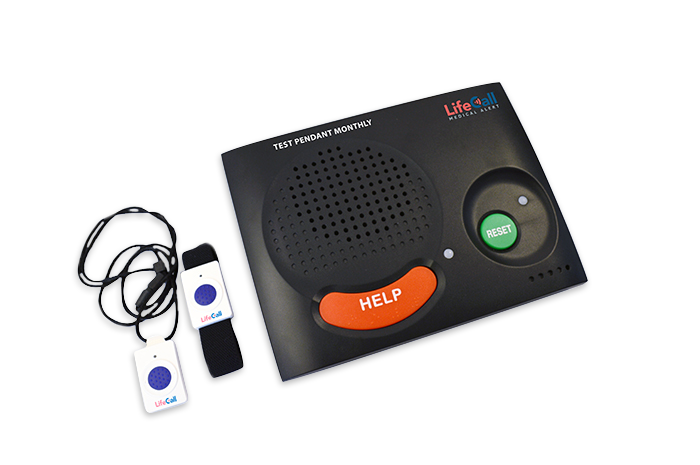
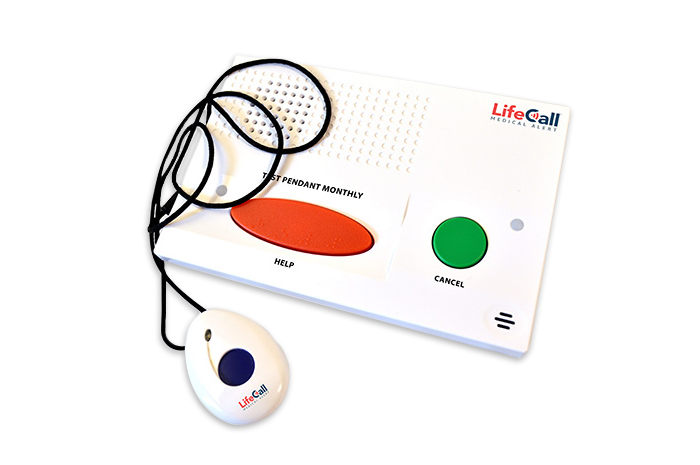
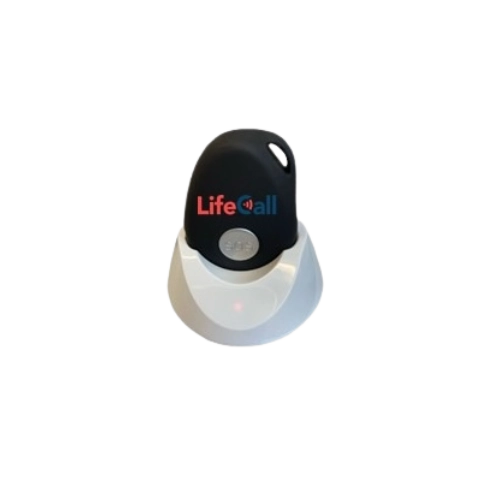
Real LifeCall product photos make the choices easier to picture. Start with home or mobile use, then compare the wearing style and features.

In-Home FallAlert™ System — LifeCall product example

Landline home fall-detection system

LifeCall In-Home FallAlert™

Fall-detection pendant

What to check: Ask about wearing position, range checks and false-alert cancellation.

LifeCall Mobile FallAlert™ System — LifeCall product example

Mobile GPS fall-detection device

LifeCall Mobile FallAlert™

Automatic detection listed

What to check: Compare charging, wearing instructions and the places you normally go.

LifeCall In-Home Cellular System — LifeCall product example

Cellular home alert system

LifeCall In-Home Cellular

FallAlert option available

What to check: Confirm the connection at your address and which button the quote includes.

LifeCall manufacturer examples and images. Features are based on the linked product pages, reviewed November 6, 2026. No dealer relationship, local stock or service availability is implied. Confirm the exact model, connection and current terms with the provider. Automatic detection can miss falls. Photo credits.

Call NowOnline requests