Phone inquiries available · Online requests are not active. For an emergency, call 911.
Medical Alert SystemsNew York(332) 456-5835

New York · Practical buying guide

Mobile medical alert systems for New York routines

A trip to the pharmacy, a walk with a friend, and a subway journey ask different questions of a device than a day at home.

Map a normal week

Describe where you go, who travels with you and how long you are away from a charger. Compare a mobile wearable with a home-only base on that basis. Do not buy a more complicated device simply because it has more features.

Ask about the exact network and location service

Ask which cellular network the model uses, whether a separate phone is needed, and how a monitoring operator obtains your location. Do not assume that GPS identifies your floor or apartment, or that a device has usable reception in every underground, indoor or waterfront setting.

Make charging part of the purchase decision

Have the provider demonstrate putting the unit in its charger with the hands and eyesight you have today. Ask what happens while the device charges and how a low-battery warning reaches you. A longer advertised battery life is not a substitute for a routine you can follow.

Try a real-life route within the return period

With the provider’s permission, test the places that matter to you. Include the lobby, your regular shop and an outdoor stop. Keep a separate emergency-contact plan for situations where the device cannot connect. A city guide cannot certify coverage for your particular journey.

Sources & useful reading

Public sources support the factual context. The buying questions are practical suggestions, not a test of any product or property. Reviewed November 7, 2026.
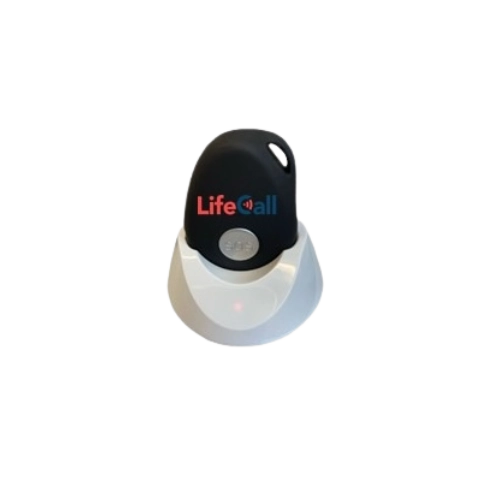
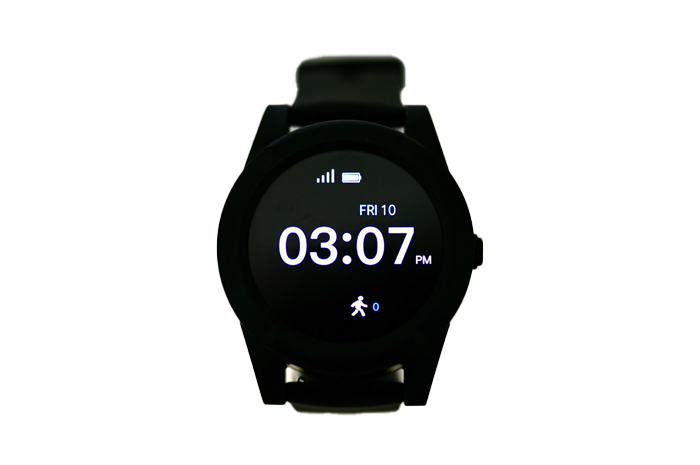
Product examples for this guide

Real LifeCall product photos make the choices easier to picture. Start with home or mobile use, then compare the wearing style and features.

LifeCall Mobile FallAlert™ System — LifeCall product example

Mobile GPS fall-detection device

LifeCall Mobile FallAlert™

Automatic detection listed

What to check: Compare charging, wearing instructions and the places you normally go.

LifeCall MobileAlert Watch™ System — LifeCall product example

Medical alert watch

LifeCall MobileAlert Watch™

Confirm automatic-detection features

What to check: Have LifeCall confirm the exact detection capability and plan in writing.

Independence Smart Watch — LifeCall product example

Smartwatch with fall detection

LifeCall Independence Smart Watch

Fall detection listed

What to check: Check the current commitment, return terms and how detection is activated.

LifeCall MobileAlert Pro™ System — LifeCall product example

Three-in-one home + mobile system

LifeCall MobileAlert Pro™

Optional FallAlert integration

What to check: Ask which pieces and detection options are included in the full quote.

LifeCall manufacturer examples and images. Features are based on the linked product pages, reviewed November 6, 2026. No dealer relationship, local stock or service availability is implied. Confirm the exact model, connection and current terms with the provider. Automatic detection can miss falls. Photo credits.

Call NowOnline requests